Trust model
Air Drive has no backend. The whole product is a web server running on your own device, reachable only from the network you put it on. That single fact drives every design decision below.
What Air Drive assumes
- Your device is yours. Someone with your unlocked phone can read everything in the Drive. The Vault exists precisely for the subset of files that must survive this case.
- Your network is not assumed safe. The server treats every connection as untrusted until it authenticates — and authenticates itself to you via the HTTPS fingerprint.
- Nothing is routable from the internet. There is no cloud relay and no port-forwarding story; if a router exposes the port, that's a router misconfiguration outside Air Drive's reach.
Threats in scope
| Threat | Defence | Section |
|---|---|---|
| Another guest on the same Wi-Fi browsing your phone | Approval/PIN/password sessions, idle timeout, HTTPS (Pro) | #access, #https |
| A malicious page in your browser reaching the local server | No CORS, CSRF token on every state change, Host allow-list (DNS-rebinding defence) | #network |
| Path traversal escaping the shared root | Central path-safety module every route passes through | #paths |
| Someone holding your unlocked phone | Vault: AES-256-GCM with a Keychain-bound key, Face ID protected | #vault |
| Stolen backup archive | Vault keys are ThisDeviceOnly — restores cannot open the Vault | #keychain |
| Tampered or truncated Vault container | Per-segment GCM authentication, position-bound nonces and AAD | #vault |
Off by default
The server does not run until you start it, and the default configuration favours the safest available option at every fork.
- Server off at launch. Nothing listens, nothing is discoverable. Stopping the app stops all exposure instantly.
- Approval mode is the default access mode. A new computer gets in only when you tap Allow on the phone.
- No Bonjour advertising until the server runs. When stopped, the device isn't discoverable as an Air Drive at all.
- Guest links are off, Vault is opt-in, and each Pro surface must be enabled by you before it exposes anything.
- The free tier's ads SDK starts only after a consent decision — and Pro never starts it at all.
Client authentication
Every client earns a session through one of three modes; nothing is anonymous by default.
| Mode | Mechanism | Session grant |
|---|---|---|
| Approval (default) | New clients post a session request; the device shows an approval card; the owner taps Allow. Approved computers are remembered per-device. | Cookie after explicit owner action |
| PIN | Short numeric code displayed on / set on the phone, exchanged at POST /api/v1/session for a session. |
Cookie after PIN check |
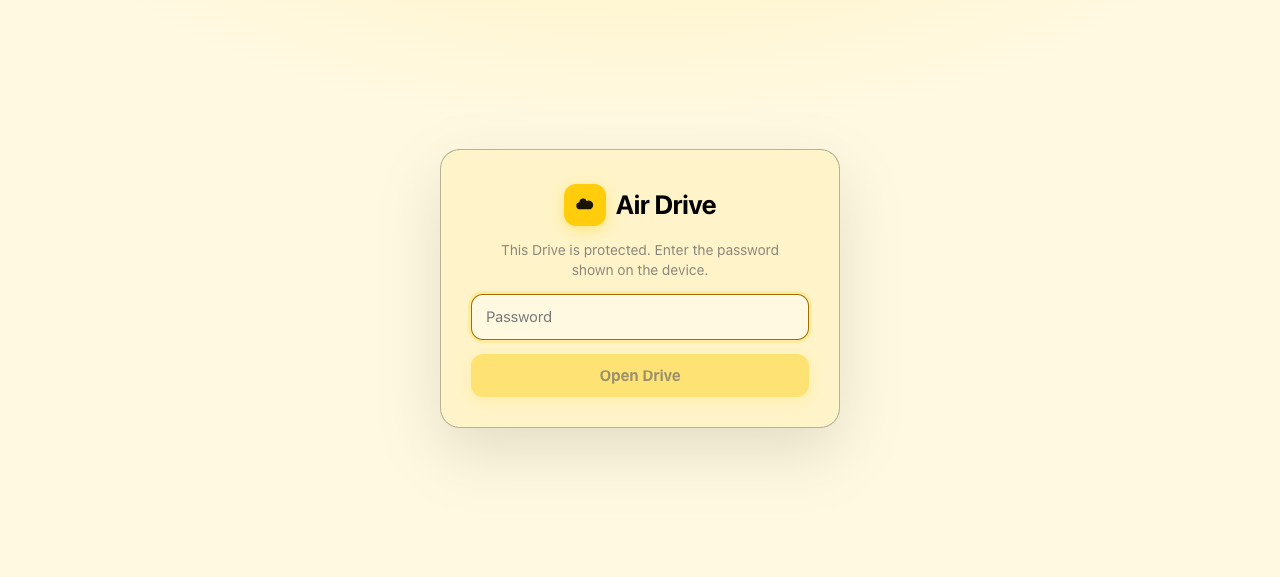
| Password | Traditional browser prompt; password set in Settings or by MDM (AccessPassword). |
Cookie after password check |
- Sessions are HttpOnly, SameSite=Strict cookies — not readable by JavaScript, not sent cross-site, expired by the idle timeout (30 min default).
- Guest links are the one deliberate exception: a
/g/<token>URL grants access to exactly one folder, in the mode you chose (read-only or drop-box), until expiry or revocation. They never see the rest of the Drive. - Per-session permissions (upload/download/delete/rename, read-only) are checked server-side on every request, not just in the UI.
- Changing access settings mid-session ends affected sessions — tightening access restarts the listener and forces re-authentication.
Network defences
The server assumes the local network is hostile. Browser-origin and rebinding attacks get the same treatment as remote ones.
- No CORS. The API serves no cross-origin permissions, so a page from any other origin cannot read responses.
- CSRF token required. Every state-changing request needs the session cookie and an
X-AirDrive-CSRFheader a cross-site form can't set. - Host allow-list (DNS-rebinding defence). Only
Hostheaders matching the device's current IP addresses or.localname are accepted — a reboundevil.comrequest is dropped. - Rate limits on authentication and session routes blunt brute-force and connection-flooding attempts.
- Request bodies stream to disk in bounded chunks with back-pressure — no handler ever holds a whole file in memory, so upload floods can't exhaust device memory.
- tus chunk cap. Upload chunks never exceed 64 MiB;
MaxUploadSizeMB(manual or MDM) caps total file size at finalization. - Bonjour discovery is scoped to the local network and only advertises while the server runs.
HTTPS & TLS PRO
Plain HTTP on your own home network is a choice, not an accident. For everywhere else, Pro HTTPS turns the link into an encrypted, verifiable channel.
How it works
- Enabling HTTPS generates a self-signed certificate on the device (fresh cert with correct IP SANs, cached identity) and serves everything over TLS.
- The Settings screen shows the certificate's fingerprint — compare it out loud or visually with the person connecting to defeat machine-in-the-middle interception on shared networks.
- No silent downgrade: with
RequireHTTPS(MDM) set, a start attempt without a usable TLS identity fails loudly instead of falling back to HTTP. - Bring your own certificate: organisations can push a PKCS#12 identity (
TLSCertificate+ password) so clients see a cert their trust store already validates.
Path safety
Every filesystem path a client can influence passes through a central path-safety module in DriveKit — there is no route that touches disk without it.
- Traversal attempts fail closed.
../sequences, absolute paths, symlink-style escapes: rejected before open. The test suite includes explicit zip-slip refusal (56/56 core tests, plus later suites). - ZIP extraction is slip-proof: archives that declare entries escaping the destination are refused, not cleaned.
- All client paths are resolved against the session's share root; the Vault's blob store and Trash are app-private and never exposed as browsable paths.
Storage layout
Where files live, what iOS sees, and what the Drive root actually is.
| Location | Purpose | Files-app visible |
|---|---|---|
Documents/ | The Drive root — everything clients browse | Yes |
Documents/Received/ | Default upload destination, drop boxes | Yes |
Application Support/Vault/ | Encrypted Vault blobs + index (Pro) | No |
Application Support/Trash/ | Deleted items, 30 days, manifest | No |
Application Support/Uploads/ | Partial tus uploads | No |
Caches/Thumbnails/ | Thumbnail cache | No |
App Group Incoming/ | Share extension hand-off | No |
The Drive root is the app's Documents directory with UIFileSharingEnabled and
LSSupportsOpeningDocumentsInPlace, so it appears in the Files app and Finder over
USB. Anything outside this table is not reachable by clients.
The Vault: ADV1 container
The Pro Vault is not an "encrypt toggle" — it's a specified, tested on-disk format. Here is the whole thing.
Crypto primitives
- AES-256-GCM authenticated encryption; a fresh random 256-bit key per file.
- The file key is wrapped (encrypted) with the master key using AES-GCM with associated data
"ADV1-key". - 64 KiB plaintext segments, each authenticated separately with associated data binding it to its index —
"ADV1-seg" ‖ index. - Per-file random nonce prefix; segment nonces derive as
prefix ⊕ index, so the same plaintext never encrypts to the same bytes twice. - Even the file name is encrypted as its own authenticated box.
Container layout
offset  size  field
0       4     magic "ADV1"
4       1     format version (0x01)
5       16    nonce prefix (random per file)
21      60    wrapped file key: AES-GCM(masterKey, fileKey, AD:"ADV1-key")
81      4     name length N (UInt32 BE)
85      N     encrypted original name
85+N    16    name tag
89+N    4     segment count S (UInt32 BE)
93+N    8     plaintext length P (UInt64 BE)
97+N    ...   S segments: ciphertext (≤ 64 KiB) ‖ 16-byte tag
What the format buys you
- Tamper evidence everywhere. Reordering, duplicating or truncating segments fails authentication — the tests literally swap segments of a 128 KiB file and assert refusal, truncate the file and assert refusal.
- No replay of content between files: per-file keys and per-file random prefixes mean ciphertexts from the same plaintext are byte-different (asserted in tests).
- Wrong-key refusal: opening under a different master key fails authentication, always.
Keychain & key handling
One master key, generated on first Vault use, with hardware-enforced handling rules.
- Random 256-bit master key stored in the Keychain with
kSecAttrAccessibleWhenUnlockedThisDeviceOnlyplus a.userPresenceaccess control (Face ID / device passcode). - ThisDeviceOnly means what it says: the key never migrates. iCloud backups, encrypted or not, device-to-device restores — none of them can open the Vault on new hardware. Migration is deliberate: Export Vault decrypts to a folder you control.
- Unlock goes through user presence: Face ID/passcode is enforced by the Keychain access control itself, not just the UI.
- File keys are per-file and random; compromising one file's key does not expose others — the wrapped blob only opens under the master key.
- No key escrow, by design. There is no recovery path and no backdoor; losing the device without exporting means the ciphertext is unrecoverable. Organisations needing escrow should export and manage the plaintext under their own controls.
Privacy posture
Declared in the App Store privacy label, implemented in the privacy manifests, and true of the code.
The core app
- No account, no analytics, no crash reporting, no advertising identifiers in the core product. Nothing the app does phones home.
- Transfer history and the activity log live on the device, visible to you, exportable by you (CSV, Pro). They are never transmitted anywhere by Air Drive.
- No internet connection is used for any file operation. Transfers go device-to-computer over your network.
- Files remain Files-app visible; removing the app doesn't strand data in an opaque cloud.
The free tier's ads
- Google AdMob serves App Open and interstitial ads, gated by a UMP consent flow (GDPR "privacy options" entry point in Settings where required).
- The privacy manifest (
PrivacyInfo.xcprivacy) declares the ad SDK's tracking domains and data types — the same ones Google documents. - Pro changes the equation entirely: the ads SDK is never initialised — no ad requests, no tracking, no consent form, no launch delay. The check happens before bootstrap, and a stale Pro flag cannot re-enable it.
- An ads kill switch (
AdsConfig.adsEnabled, settable by MDM) hides every ad surface for managed fleets.
MDM enforcement
Managed App Configuration keys are validated, applied over the owner's settings, and shown as "Managed by your organisation". The full key table lives in the user guide's MDM section; the security-relevant subset and how they're enforced are here.
| Control | Key | Enforcement |
|---|---|---|
| Force encrypted transport | RequireHTTPS | Gates server start; no TLS identity → start fails with a clear error, never a silent HTTP fallback. |
| Organisation certificate | TLSCertificate + TLSCertificatePassword | PKCS#12 identity deployed by MDM replaces the self-signed cert. |
| Force an access mode | AccessMode (+ AccessPassword) | Owner cannot weaken the mode; UI shows the managed value. |
| Content restrictions | AllowedFileExtensions / BlockedFileExtensions | Checked at upload-create; blocked beats allowed. |
| Upload ceilings | MaxUploadSizeMB | Enforced at finalization, on top of the 64 MiB chunk cap. |
| Least privilege | ReadOnly, AllowUploads/Downloads/Delete/Rename | Server-side per request; UI follows. |
| Feature disabling | AllowWebDAV, AllowGuestLinks, AllowVault, AllowPhotosBridge, AllowClientMode | Feature surfaces removed per fleet policy. |
| Tamper-evident audit | AuditLogEnabled | Log always on; the Owner cannot clear it; CSV export for auditors. |
| Session hygiene | IdleTimeoutMinutes | Managed timeout overrides local; 0 = never (use deliberately). |
| Consistency reporting | com.apple.feedback.managed | appVersion, serverState, lastError, proSource reported on config change. |
UnlockPro is compiled off by default. The flag sits behind the
AIRDRIVE_MDM_UNLOCK_PRO build setting; with the default build a managed
UnlockPro=true is ignored and reported as an issue in the feedback dictionary
(App Store guideline 3.1.1 requires IAP for paid features). Don't build fleets around it
until distribution via Apple Business Manager custom apps is confirmed.Hardening checklist
Recommended settings by scenario. Everything here is achievable from the app or MDM — no special builds.
Personal device on a home network
- Keep Approval mode as the access mode; approve only your own computers.
- Leave the server stopped when not transferring; use the Control Center toggle to start it on demand.
- Put sensitive documents in the Vault, not the Drive root.
Shared or semi-public Wi-Fi (office, hotel, university)
- Enable HTTPS and verify the fingerprint with the other party before accepting the browser warning.
- Use a password mode with a strong password rather than a short PIN.
- Shorten the idle timeout (e.g. 5–10 minutes).
- Prefer guest links with expiry over giving out the main address.
Enterprise fleet (via MDM)
RequireHTTPS=true+ organisationTLSCertificate.AccessMode=passwordwith a managed password;IdleTimeoutMinutes=15.AuditLogEnabled=true; export CSV periodically for audit.- Disable unused surfaces (
AllowGuestLinks=false,AllowClientMode=false, …). BlockedFileExtensionsfor executables if devices are single-purpose.
Device leaving your control (repair, resale)
- Export Vault first — after the wipe there is no recovery.
- Then erase the device normally; the Vault key dies with the Keychain and the ciphertext in backups is inert without it.
Known limits
Stated plainly, because a security guide that hides trade-offs is marketing.
- Self-signed HTTPS shows a browser warning. That's the fingerprint workflow, not a bug — but it is friction. Organisations should push their own certificate.
- Approval-mode memory is per device. Re-installing the app clears remembered clients.
- The Vault has no cloud escape hatch. ThisDeviceOnly + no escrow is the feature, but it makes "I lost the phone before exporting" a permanent loss.
- WebDAV credentials over plain HTTP are visible on the local network. Mount with HTTPS on, or keep WebDAV to trusted networks only.
- Free-tier ads require consent to be policy-compliant in EEA/UK; the UMP flow handles this, and Pro sidesteps it entirely.
- .local / mDNS discovery depends on the router: some networks block multicast, in which case use the numeric address.